Customizing Your Site

Make FosterFlow look and feel like your rescue. From colors and logos to application forms and pet widgets — here's how to make it yours.

Branding

Go to Admin → Settings → Branding to customize how your rescue looks.

Logo
Upload your rescue's logo. It appears in your site header and footer. PNG or SVG with a transparent background works best.
Accent Color
Choose your primary brand color. This is used for buttons, links, and highlights across your public site.
Organization Name
Your full rescue name as it should appear publicly — in the header, page titles, and email signatures.
Tagline
A short one-line description shown in your site header, under your logo.
Social Links
Add your Facebook, Instagram, and other social profiles. Links appear in your site footer.
Contact Info
Phone, email, and address shown on your contact page and in footers.

All branding changes take effect immediately on your public site — no restart or republish needed.

Content Editing

Beyond branding, you can edit the actual text on each page of your public site using content blocks. This means you can update your adoption requirements, rewrite your mission statement, or change your home page welcome message — all without writing any code.

See the Events & Content guide for the full walkthrough of the content block editor.

Tip: After a big adoption drive or a change in your policies, do a quick pass through your content blocks to make sure everything on your public site is still accurate. It only takes a few minutes.

Application Forms

Go to Admin → Settings → Applications to configure what forms are available and how they work.

Enable / Disable Form Types
Turn each form type on or off. If you're not accepting foster applications right now, disable that form — it won't appear on your public site and applicants won't be able to submit.
Adoption Fees
Set a default adoption fee that's shown on your public adopt page. You can also set different fees per species (e.g., different rates for dogs vs. cats vs. rabbits) or override the fee on a per-pet basis.
Application Questions
Each form type comes with a set of default questions. You can mark questions as required or optional, reorder them, and add custom questions specific to your rescue's needs.
Auto-Reply Message
Set the message that applicants receive immediately after submitting. It's a good place to let them know when to expect a response from your team.

Your Public Site

Your public-facing site includes a pets listing page where visitors can browse available animals, search by name, and filter by species. The page automatically reflects your current available pets.
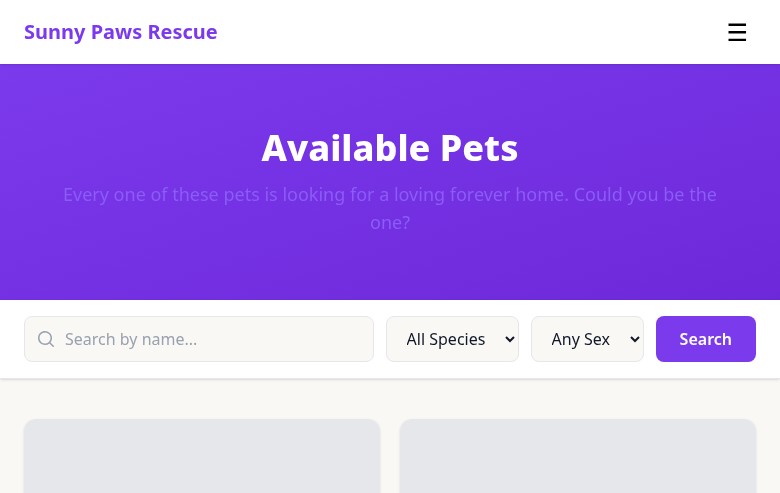
Public pets listing page with search and species filters

The public pets page with search bar and species filter tabs — updated in real time as you manage pets in admin.

The pets listing pulls directly from your admin pet records. Only pets with a status of "Available" are shown. To control which pets appear, simply update their status in the admin.

Each pet has their own detail page with photos, their bio, and an "Apply to Adopt" button that links to your adoption application form.

Embeddable Widgets

FosterFlow provides a pet widget you can embed on any external website — your rescue's existing site, a partner organization's site, or a fundraising page. The widget shows your available pets and links back to your FosterFlow site.

To get your embed code, go to Admin → Settings → Widgets. Copy the snippet and paste it into any website that accepts HTML. The widget automatically stays up to date — no need to update it when pets are added or adopted.

Pet Grid A responsive grid of available pet photos with names and a link to apply.
Pet Carousel A horizontal scrolling carousel — good for sidebars or narrower spaces.
Single Pet Embed the profile of one specific pet — useful for a featured or urgent placement.
Great for partner sites: If a local pet store or vet clinic has agreed to display your available pets on their website, the widget is the easiest way to make that happen — no ongoing maintenance for either of you.