Managing Pets
Everything you need to track animals from the moment they arrive to the day they go home. Medical records, photos, fosters — all in one place.
The Pet List
Navigate to Admin → Pets to see your full roster. You can search by name, filter by status (available, fostered, adopted, on hold, deceased) or species, and sort by any column.
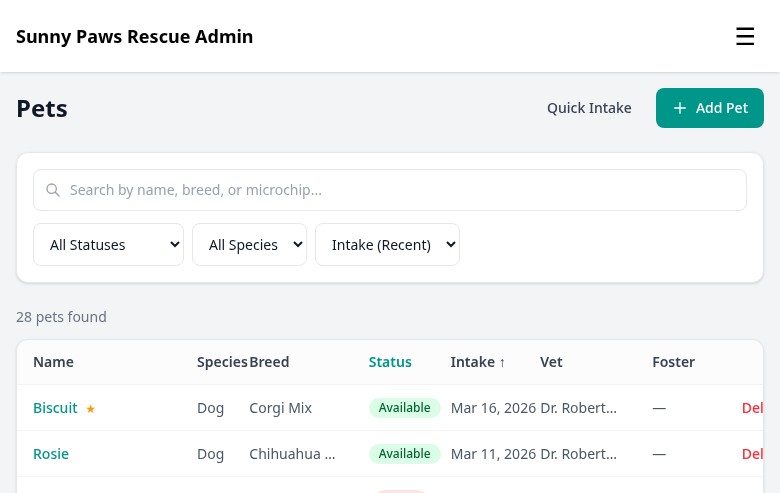
The pet list table with search, status filters, and quick-action buttons.
Each row shows the pet's name, species, breed, age, current status, and assigned foster. Click any row to open that pet's full detail page. Use the + New Pet button in the top-right corner to add a new animal.
Adding a Pet
Click + New Pet to open the new pet form. Fill in the basics to get started — you can always add more detail later.
- Name, species, breed
- Age or date of birth
- Sex and spay/neuter status
- Color and markings
- Intake date and type (stray, surrender, transfer)
- Intake source or rescue partner
- Initial status
- Intake notes
- Public-facing bio shown on your website
- Personality traits
- Good with kids, dogs, cats
- Special needs or requirements
- Upload multiple photos
- Set the primary (featured) photo
- Photos appear on the public pet profile
- Drag to reorder
There's also a Quick Intake button that lets you add a pet with just a name, species, and intake date — useful when animals are arriving quickly and you need to log them fast.
Pet Detail View
Clicking a pet opens their full detail page with a tab layout. Each tab holds a different type of information.
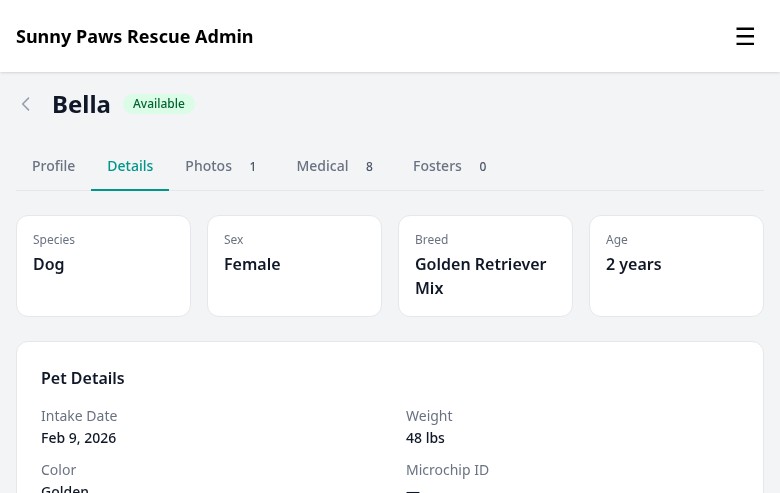
The pet detail page with tabs for details, photos, medical records, and fosters.
Medical Records
The Medical tab keeps a complete health history for every animal. Click + Add Record to log a new entry.
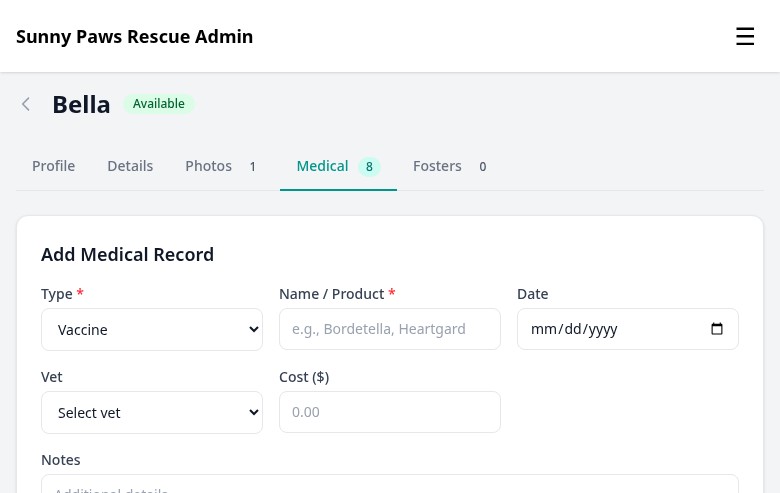
The medical records tab shows the full health history and includes a form for logging new entries.
You can log these record types:
- Vaccine Name, date given, and next due date
- Surgery Procedure name, date, vet, and recovery notes
- Checkup Exam notes, weight, and any findings
- Medication Drug name, dose, frequency, and duration
- Parasite Treatment Flea/tick, heartworm, deworming treatments
Each record can include a cost, which feeds into your financial reports. You can also attach a vet to any record so all costs are tied back to the specific clinic.
Foster Assignments
From the Fosters tab on a pet's detail page, you can assign the animal to a foster caregiver. Select the foster's name from the dropdown (you'll need to have created their user account first — see the Foster Portal guide).
When you assign a foster, you can set a placement start date and add any notes — like transportation arrangements or special care instructions. The pet's status automatically updates to "Fostered."
When a foster placement ends (either the pet is adopted or moved to a new foster), you close the placement with an end date. The full placement history is preserved so you always have a record of where each animal has been.
CSV Import
If you're migrating from a spreadsheet, you can bulk-import pets using a CSV file. Go to Admin → Pets → Import.
Download the CSV template first so your columns match what FosterFlow expects. Fill in as many or as few columns as you have — name and species are the only required fields. Upload the file, preview the import, and confirm.