Events & Content
Keep your public website fresh and your community engaged — no web design experience needed.
Managing Events
Post adoption events, fundraisers, and community meetups on your public events page. Go to Admin → Events → New Event to create one.
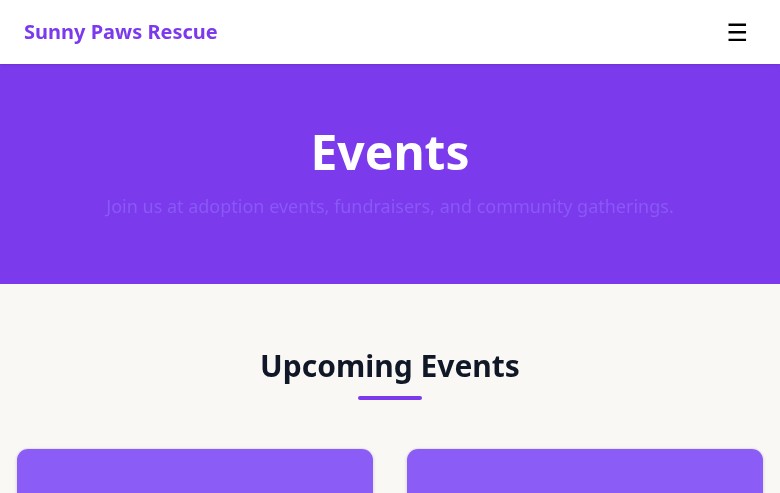
Your public events page lists upcoming events with dates, locations, and descriptions.
For each event, you can set:
- Title and description
- Date, time, and end time
- Location (address or virtual link)
- A cover image
- Whether the event is published publicly or saved as a draft
Events automatically show up on your public events page when published, sorted by date. Past events are automatically archived.
Content Blocks (CMS)
The Content Blocks system lets you edit the text and images on your public pages without touching any code. Think of it as a simple website editor built right into your admin panel.
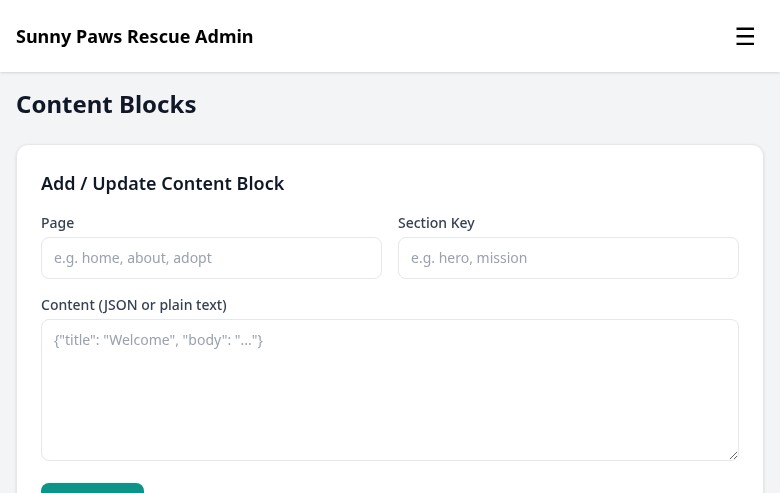
The content block editor lets you update page text and images without writing any code.
Go to Admin → Content to see all editable content blocks, organized by page. Each block has a label (like "Home Page Hero Text" or "About Us Intro") and a text editor.
Changes are published instantly when you save. There's no approval step or deployment required.
Happy Tails Stories
Happy Tails are adoption success stories — a great way to show prospective adopters the impact your rescue has. They appear on a dedicated Happy Tails page on your public site.
Go to Admin → Content → Happy Tails → New Story to add one. Each story includes:
- Pet's name and a short title (e.g., "Biscuit found his forever home!")
- The story — a few sentences about the animal and their adoption journey
- A photo (usually a "happy at home" photo from the adopter)
- Optional: link to the original pet record
You can request photos from adopters a few weeks after adoption — most people are happy to share an update when they've settled in.
Newsletter
FosterFlow includes a simple newsletter tool for staying in touch with your supporters. Visitors to your public site can subscribe from the footer or a dedicated subscribe page.
Go to Admin → Newsletter to manage subscribers and draft emails. You can see all your active subscribers, their signup date, and unsubscribe them manually if needed.
To send a newsletter, click New Email, write your subject line and message, preview it, and send. Emails are sent via your rescue's email address with an automatic unsubscribe link included.
Contact Messages
When someone fills out the contact form on your public site, their message is saved in FosterFlow and also sent to your notification email. You can view all messages at Admin → Messages.
The messages list shows the sender's name, email, subject, and when it arrived. Click any message to read it in full. You can mark messages as read, archive them when done, or delete them. Replies are done by emailing the sender directly — FosterFlow records the message but doesn't send replies from the platform.